The Thundering Herd When a Flash Sale Cache Entry Expires
When one popular cache entry expires under load, every request recomputes the same value. Here is how to spread that work, and where a lock makes it worse.
Tomas Lindqvist · @tlindqvist
Hardening and operations
- Topic
- PERF
- Section
- Performance
- Published
- 18 JUN 2026
- Reading time
- 7 MIN
- Words
- 1964W
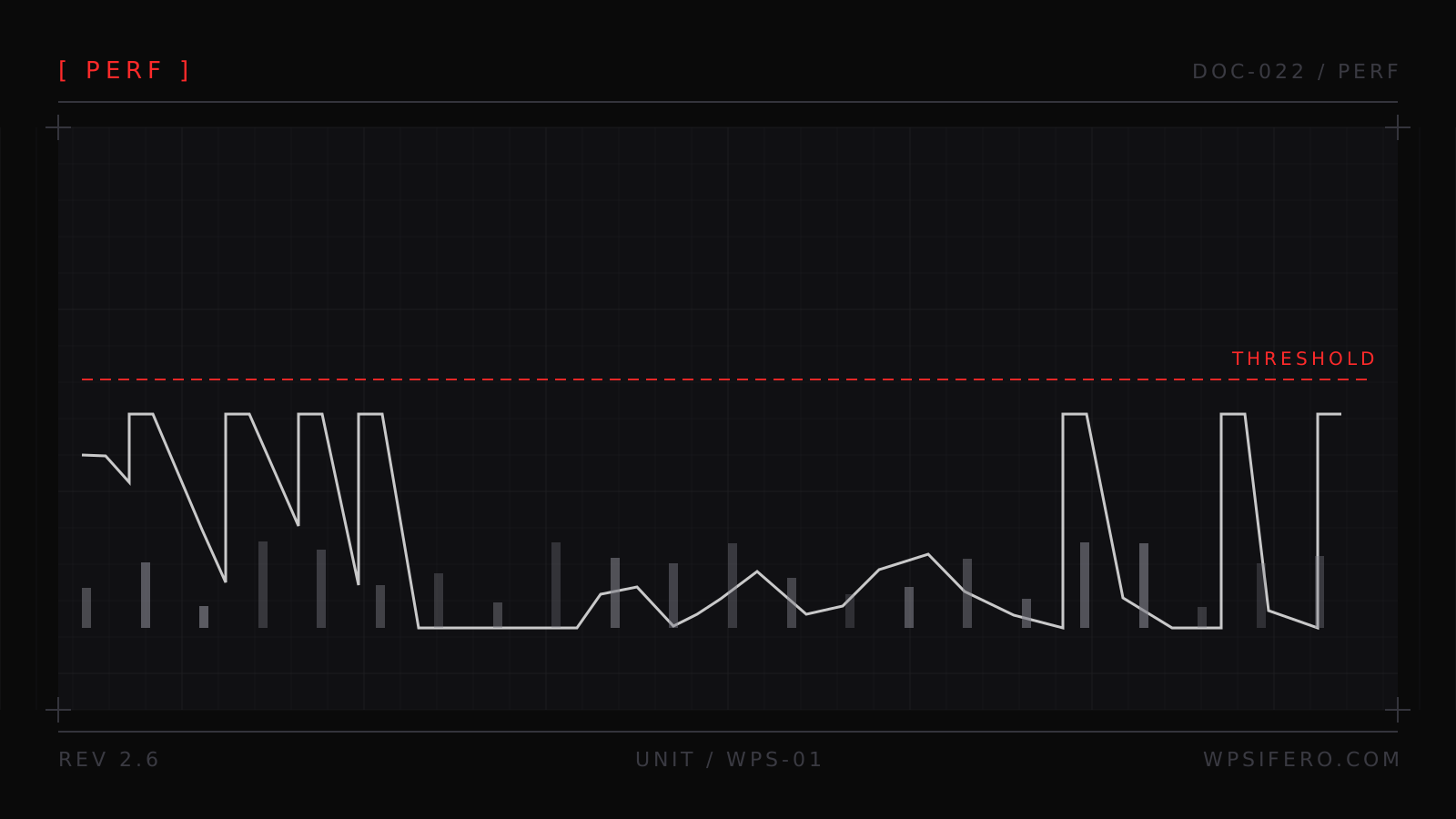
At 09:00 a flash sale opens on a store that normally does a few orders an hour. By 09:02 the sale landing page is taking 400 requests a second, and its full-page cache entry has a 60-second TTL. At 09:07 the entry expires while requests are still arriving.
Every request in the next window misses, and every one asks PHP to build the same page: booting WordPress, running the sale query, filling the same template. MySQL serves hundreds of identical queries that a second earlier were one memory read. PHP-FPM workers pile up and the pool fills.
The cache did its job. The expiry was the trigger. What broke is that the recompute was synchronized, and that is a scheduling problem you can fix in code.
What happens when a popular cache entry expires
A TTL promises a value is valid until a moment, after which it is nobody's problem until somebody asks. That last part is the flaw. At expiry the key is gone, and every request arriving before the first rebuild finishes sees the same empty slot and starts the same work. A rebuild that takes 200 milliseconds, hit by 300 concurrent requests, is 60 seconds of CPU and 300 identical queries to produce one answer.
Hit ratio is a poor health metric during a sale: it is an average over a window, and what hurts is a spike. A cache reading 99.9% for the hour can still have one key at a 100% miss rate for the ten seconds that matter. Watch the miss rate per key, weighted by rebuild cost, and you will see the risk before the sale does.
A cold cache is the same failure with better manners. A deploy, a flush, or a plugin that clears the object cache when a product is saved during the sale makes every key miss in the same second. If you have to flush, do it an hour before the sale opens, not during it.
One miss becomes a thousand recomputes
The shape is the same in both cache layers. The fix differs, so it is worth separating them.
The object cache
Take a WooCommerce 8.x store on PHP 8.2, eight vCPU, Redis 7.2 behind the object cache drop-in. The
sale payload is cached for 300 seconds. When that key expires, wp_cache_get() returns
false for every worker in flight, and each one runs the same query set. Redis absorbs the read volume.
MySQL saturates, and the PHP workers wait on it while holding Redis connections. Then each worker
writes the same value back, so you pay hundreds of redundant writes on top of the reads.
The herd is the rebuild duration multiplied by the arrival rate, so the dangerous case is an expensive rebuild. Two seconds at 200 requests a second is 400 workers doing the same work.
The page cache
A full-page cache has the same shape and a different mechanism. When the entry for the sale URL
expires, every request for that URL becomes a proxy pass to PHP-FPM. With Nginx and
fastcgi_cache, three directives change that: fastcgi_cache_lock,
fastcgi_cache_lock_timeout and fastcgi_cache_use_stale updating. The first
two let one request populate the entry while the others wait instead of all being forwarded; the third
serves the previous copy meanwhile. Without them, Nginx forwards every request during the gap.
Varnish coalesces concurrent misses for the same object in current versions, so a Varnish front end gives you part of this without configuration. Check the version and config rather than assuming. The question to ask of any page cache is whether it serialises misses for one key, and on most managed stacks nobody has looked.
Recompute before the expiry, with a random window
Instead of a cliff at expiry, give each read a small chance of doing the work early, rising as the value ages. The reader that takes the job rewrites the value with a fresh TTL, so the readers behind it never see a miss and there is nothing to coordinate.
The standard form recomputes when the remaining TTL is below -delta * beta * log(u),
where delta is the measured rebuild time and u is a uniform draw from
(0, 1]. Because -log(u) has a mean of 1, the window is about delta seconds
wide, and a comfortably fresh value is almost never rebuilt. This is probabilistic early expiration,
sometimes called XFetch, and it needs no lock and no extra infrastructure.
Two things decide whether it works. delta has to be measured, and beta is
the dial: above 1 recomputes earlier and more often. Too high and you rebuild constantly, which is a
very short TTL with extra steps.
<?php
function wpsifero_sale_feed( int $product_id ): array {
    $key    = 'wpsifero_sale_feed_' . $product_id;
    $now    = microtime( true );
    $cached = get_transient( $key );

    if ( is_array( $cached ) && isset( $cached['expires'], $cached['data'] ) ) {
        // delta: how long a rebuild takes on this host, measured, not guessed.
        $delta = 0.4;
        $beta  = 1.0;

        // Uniform in (0, 1]. -log(u) is 0..infinity with a mean of 1.
        $u         = mt_rand( 1, mt_getrandmax() ) / mt_getrandmax();
        $threshold = -1.0 * $delta * $beta * log( $u );

        if ( $cached['expires'] - $now > $threshold ) {
            return $cached['data'];
        }
    }

    $data = wpsifero_build_sale_feed( $product_id );
    $ttl  = 300 + wp_rand( 0, 60 ); // jitter: see the warming section below.

    set_transient(
        $key,
        array( 'expires' => $now + $ttl, 'data' => $data ),
        $ttl
    );

    return $data;
}
The transient's expiry is now a backstop rather than the freshness rule, which is why the payload
carries its own expires value. With a persistent object cache, transients live in memory
and this is one round trip. Without one they live in wp_options, and every read becomes a
query plus a timeout lookup.
A lock so one worker rebuilds and the rest serve stale
When the rebuild is expensive and infrequent, coordination earns its keep. The version that survives production gives the value two deadlines: a soft expiry, after which it stops being fresh, and a hard TTL, after which the key is gone. Between the two, one worker rebuilds while everyone else reads the old copy. A 300-second-old sale page is fine. A 300-second-old stock count is not, and that decides whether you use this pattern at all.
The primitive is already in WordPress. wp_cache_add() returns false when the key
exists, which is all a lock needs. On the Redis and Memcached drop-ins the underlying add is a single
conditional write, so two workers cannot both win. Confirm that against your own drop-in: the default
non-persistent object cache is per request and coordinates nothing.
<?php
function wpsifero_lock( string $key, int $ttl ): bool {
    // wp_cache_add() returns false when the key is already there.
    return (bool) wp_cache_add( $key . ':lock', 1, 'wpsifero', $ttl );
}

function wpsifero_unlock( string $key ): void {
    wp_cache_delete( $key . ':lock', 'wpsifero' );
}

function wpsifero_sale_feed_guarded( int $product_id ): array {
    $key    = 'wpsifero_sale_feed_' . $product_id;
    $cached = get_transient( $key );

    // Still fresh: serve it and do nothing else.
    if ( is_array( $cached ) && isset( $cached['expires'] )
        && $cached['expires'] - microtime( true ) > 30 ) {
        return $cached['data'];
    }

    // Stale or absent. One worker refreshes; the rest serve what we have.
    if ( ! wpsifero_lock( $key, 10 ) ) {
        return is_array( $cached ) ? $cached['data'] : array();
    }

    try {
        // Double-check: another worker may have rebuilt while we waited.
        $fresh = get_transient( $key );

        if ( is_array( $fresh ) && isset( $fresh['expires'] )
            && $fresh['expires'] - microtime( true ) > 30 ) {
            return $fresh['data'];
        }

        $data = wpsifero_build_sale_feed( $product_id );

        // Hard TTL of 900 keeps the value alive to serve stale from.
        set_transient(
            $key,
            array( 'expires' => microtime( true ) + 300, 'data' => $data ),
            900
        );

        return $data;
    } finally {
        wpsifero_unlock( $key );
    }
}
The double-check is not decoration: a worker that loses the race for the lock may find the value
already fresh, and rebuilding it would have been wasted work. A key with nothing cached is the awkward
case, since there is no stale copy to serve and the code returns an empty payload. Warming covers that
one. The finally block is the normal release path; the lock's TTL is what keeps you
safe.
Warm from a background job and stagger the TTLs
Warming on the first user request puts the cost on the worst possible request. WP-Cron does not help here, because it fires on a page load, so a job meant to keep the sale page hot runs inside the traffic it exists to protect. Disable it, drive the schedule from system cron, and have that job rebuild the keys ranked by requests per minute multiplied by rebuild seconds.
Stagger the TTLs. A warming job that builds 5,000 keys at 09:00 with a 900-second TTL has scheduled
5,000 expiries for 09:15. Add a minute of jitter per key, as the code above does with
wp_rand(). Cheapest item on the list, and the one teams skip.
| Strategy | Complexity | Failure mode |
|---|---|---|
| Staggered TTLs | One line per write | A burst still finds the key missing |
| Early recompute | One function, no new infrastructure | Constant recompute if delta is overestimated |
| Lock plus stale copy | Needs a lock primitive and two deadlines | Serving a value past the point where it is wrong |
| Background warming | Scheduler and a job you maintain | Any key the job does not know about still stampedes |
| Page cache lock | Low, if you own the server | Page cache only; object cache misses still reach MySQL |
A lock with no TTL turns a stampede into an outage
Here is where the lock stops being a safety net. If the rebuild dies partway through, from a memory limit, a hanging remote call, or the OOM killer, the release never runs, and a lock without a TTL stays held. Every reader then either serves a stale copy, which is invisible and fine, or waits for a lock that will never be released. The second case is an outage, and it lasts until somebody notices.
The rule that follows: the lock's TTL must be shorter than the worst-case rebuild. If a rebuild can take 30 seconds, a 10-second lock means at most three workers rebuild in parallel. You give up the single-writer guarantee and keep the property that matters, which is that no failure can wedge the read path. Bound every remote call inside the rebuild too: a lock held across an uncapped HTTP request is the same mistake with an extra step.
Measure the rebuild before picking any of these numbers. Log its duration on every run, and set
delta and the lock TTL from the observed distribution rather than the median you remember.
Locks are also per key: five thousand keys expiring in the same second is five thousand locks, so cap
concurrent rebuilds globally once the catalogue gets large, or warm instead.
What to do on Monday
- List the keys that matter, ranked by requests per minute multiplied by rebuild seconds. It is the sale page, the category page and a handful of products.
- Log rebuild duration for a day. Every number below comes from that log.
- Add jitter to every TTL you set in a batch.
- Put early recomputation in front of the three heaviest keys and watch the rebuild counter. It should fall, not rise.
- Add a lock and a stale copy to anything whose rebuild exceeds a second, with a lock TTL shorter than the worst case you measured.
- Move warming to system cron, starting before the sale and running every minute while it is live.
- Expire the key by hand under load before the sale opens and watch what the page does. That rehearsal is worth more than the rest of this list.
Tomas Lindqvist · @tlindqvist
Hardening and operations
Threat models plugins, audits capability and nonce handling, and builds the observability that tells you an integration broke before a customer does.
Continue