
Delivery Trackerfor WooCommerce
A professional tracking experience for WooCommerce stores with courier assignment, public tracking pages, customer account tracking and visual delivery statuses.
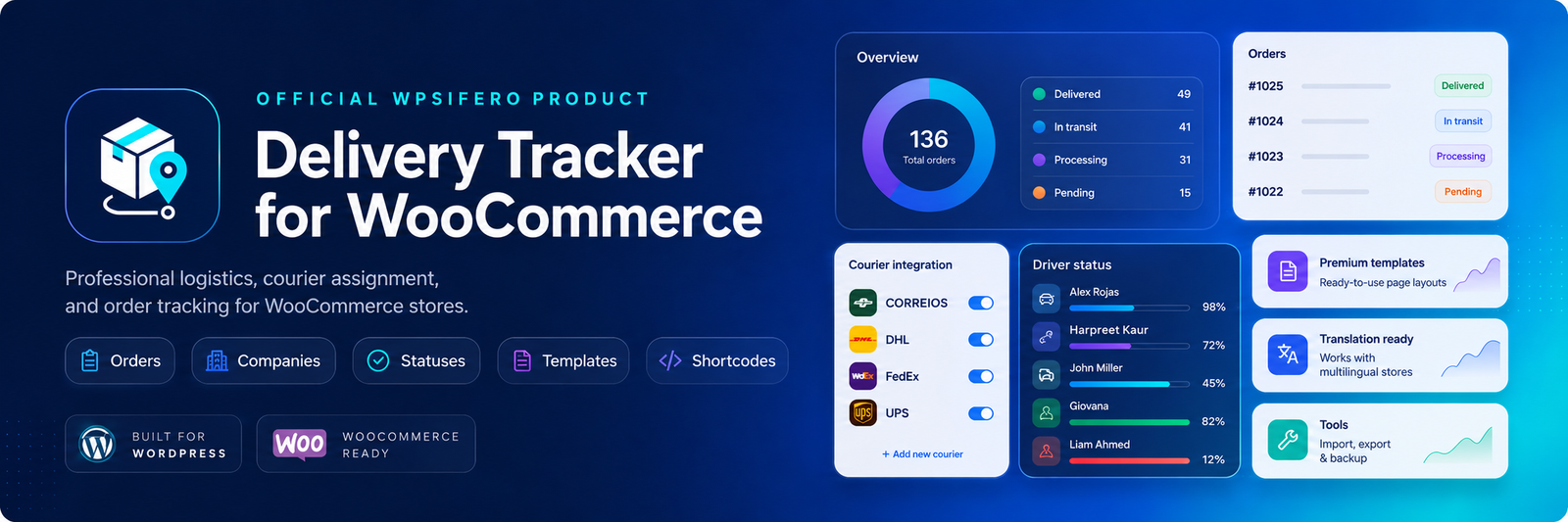
Website licenses
Tracking by code
Customer order tracking
Custom tracking layouts
Pricing
Choose the right license for your WooCommerce store.
Switch between annual and lifetime pricing. Select the number of websites and the checkout button will update automatically with the correct Freemius license link.
The store problem
Post-purchase delivery questions slow down your support team.
- ×Customers ask where their order is because the WooCommerce order page does not explain the delivery journey clearly.
- ×Store managers often assign couriers, tracking codes and status updates manually across different tools.
- ×External courier links are useful, but customers still need a branded tracking experience inside the store.
The plugin solution
A complete tracking layer inside WooCommerce.
- ✓Assign delivery companies and external tracking codes directly to WooCommerce orders.
- ✓Show a public tracking page, a customer account tracking view, QR sharing and status history.
- ✓Customize statuses, progress values, templates, shortcodes and import/export tools from the plugin dashboard.
Plugin features
Everything needed to turn WooCommerce orders into trackable deliveries.
Designed for stores that need a professional logistics workflow without replacing WooCommerce.
Order control
Manage active deliveries, assigned companies, progress, estimated dates, and external codes.
Courier companies
Create delivery providers with logos, status, tracking base URL, and action button text.
Status builder
Create logistics stages with labels, icons, progress values, colors, and customer-friendly names.
Public tracking
Let customers search by tracking code and review the shipment journey from a public page.
Account tracking
Show delivery progress inside the WooCommerce customer order view.
Templates
Use customer-facing tracking templates and order tracking layouts with preview-ready design.
Shortcodes
Embed public tracking pages, customer order panels, and custom tracking buttons.
Import/export
Back up or migrate settings and delivery company data through simple tools.
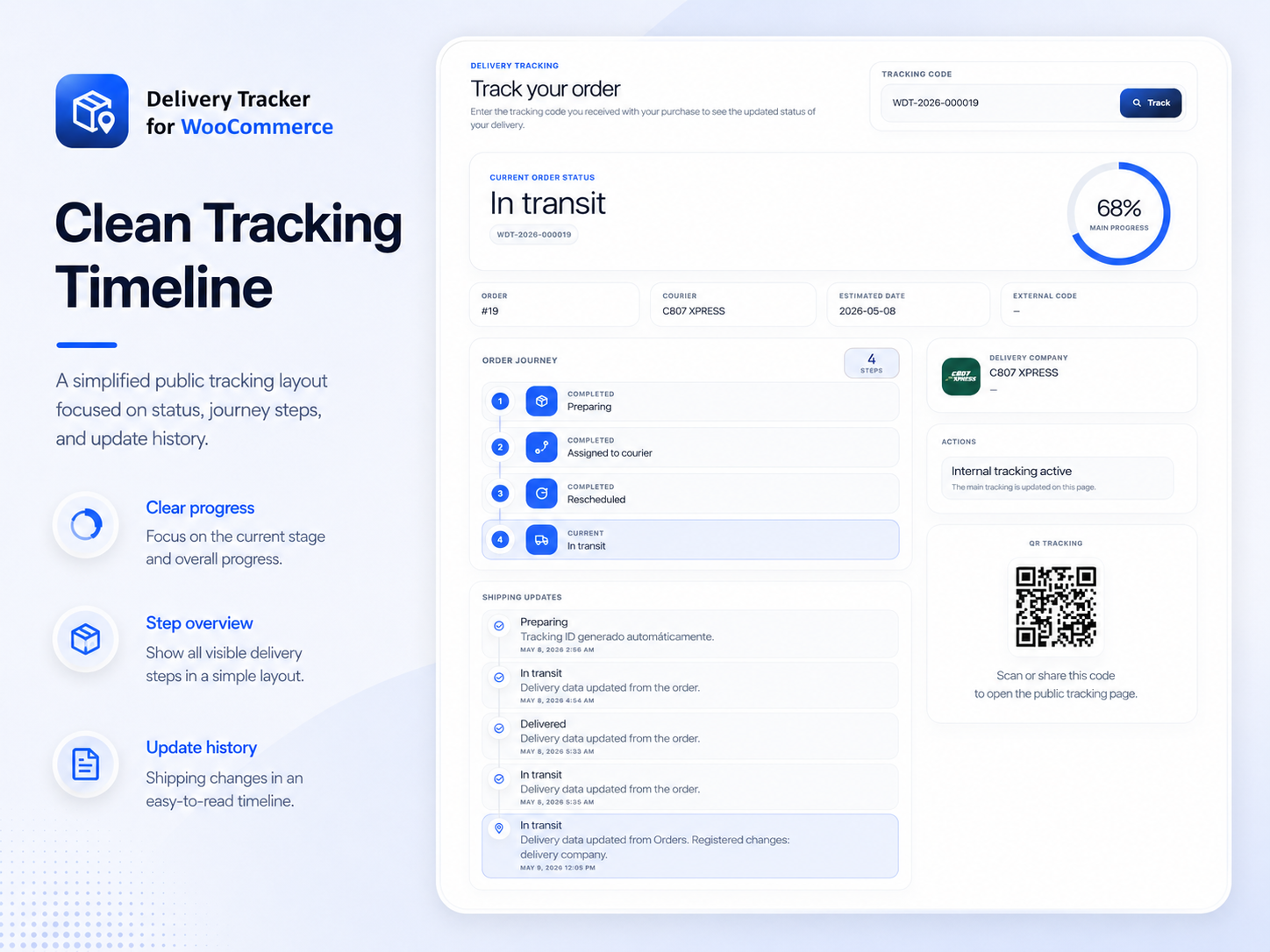
Frontend showcase
Tracking pages customers actually understand.
Switch between public tracking, account tracking, dark console, and route-map style presentations.
How it works
From WooCommerce order to customer tracking page.
The plugin adds a delivery layer to your store without replacing WooCommerce. Your team keeps managing orders in WordPress while customers get a clearer delivery experience.
Create courier companies
Add delivery provider names, logos, active status, tracking base URLs and button text. These companies become available when managing WooCommerce orders.
Assign delivery data
Attach the company, internal tracking ID, external courier code, estimated date, customer instructions and delivery status to an order.
Publish tracking views
Customers can track from a public page, account order page, QR code or external courier button depending on the experience you enable.
Built for store managers
The dashboard highlights active deliveries, customer tracking activity, courier assignments and recent order updates. This helps the store team understand logistics without leaving WordPress.
Built for customers
Customers see progress, current status, courier company, order information, history and tracking actions in a visual interface that feels part of the store.
Built for agencies
Licenses for 1, 4 or 20 websites make the product practical for freelancers, agencies and multi-store WooCommerce operations.
Admin previews
A modern admin experience for store teams.
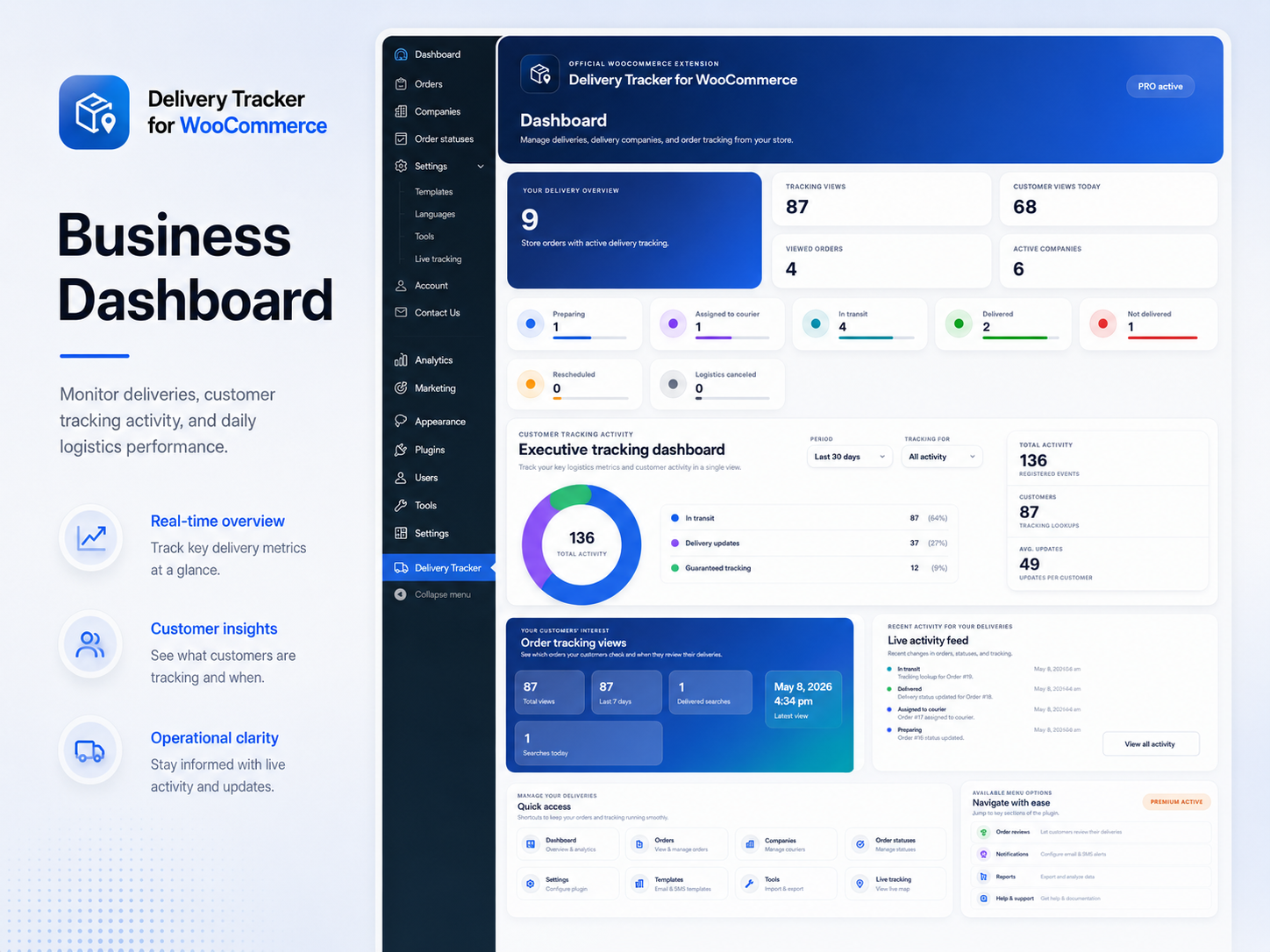
Business dashboard
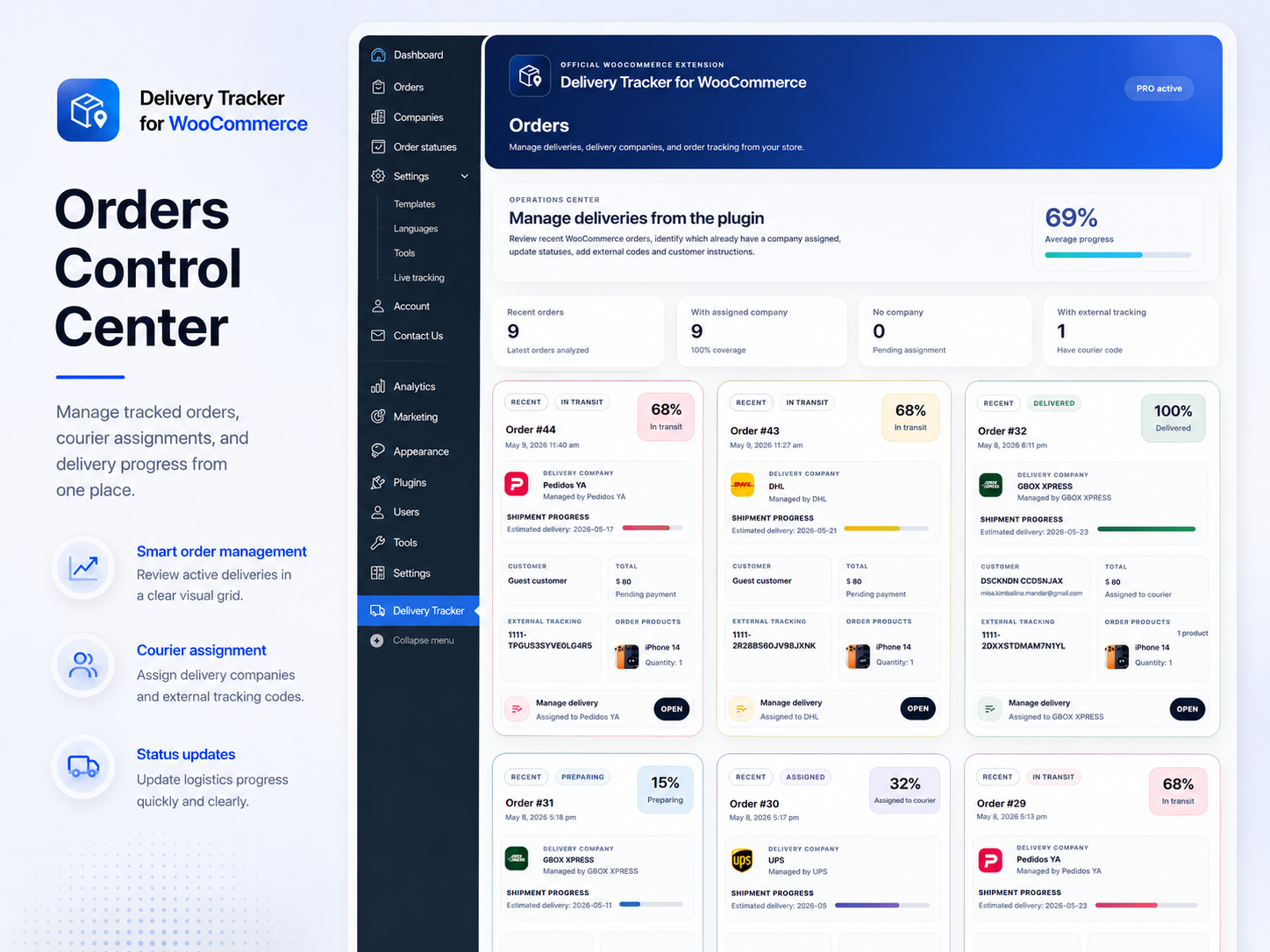
Orders control center
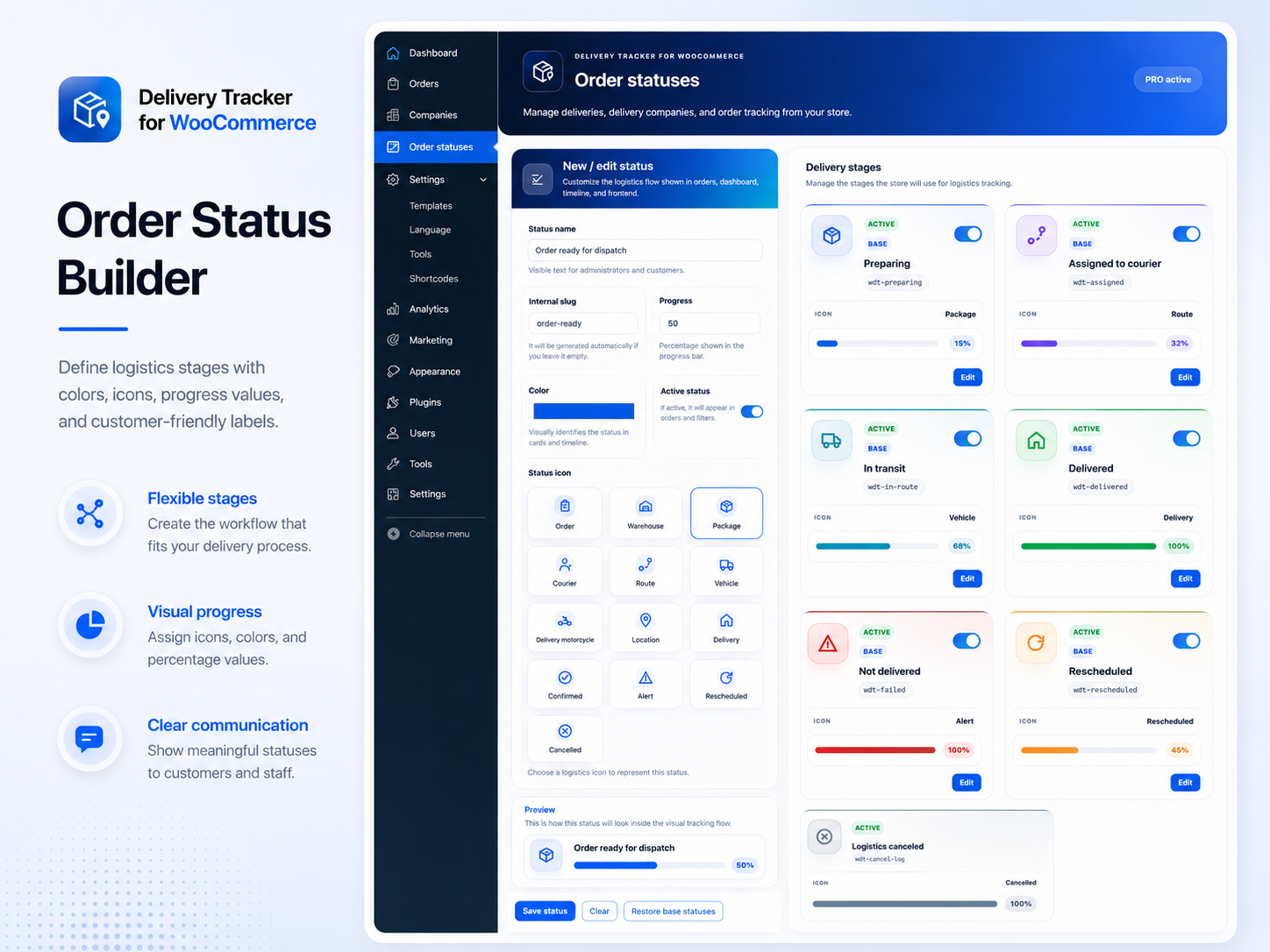
Status builder
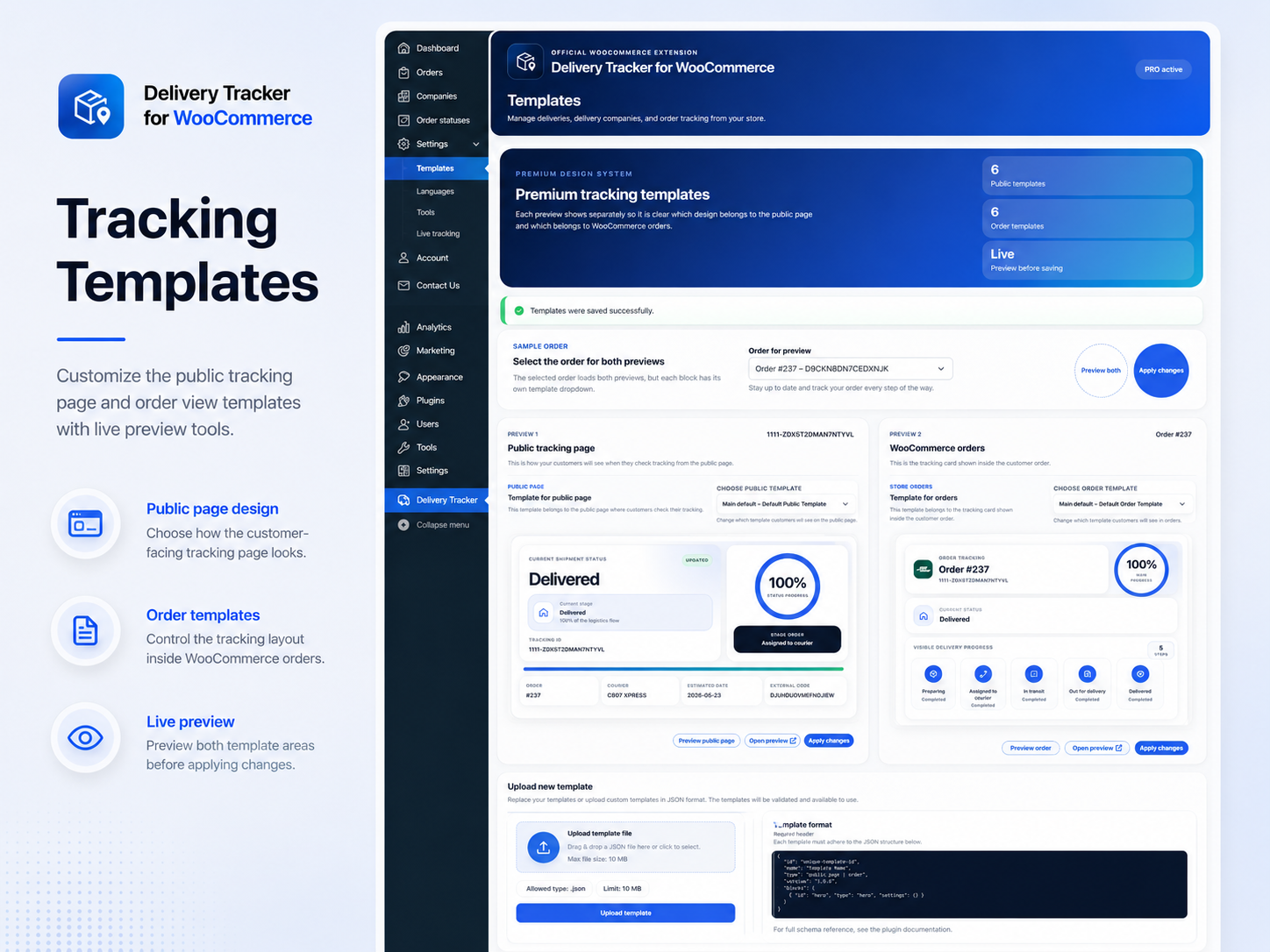
Tracking templates
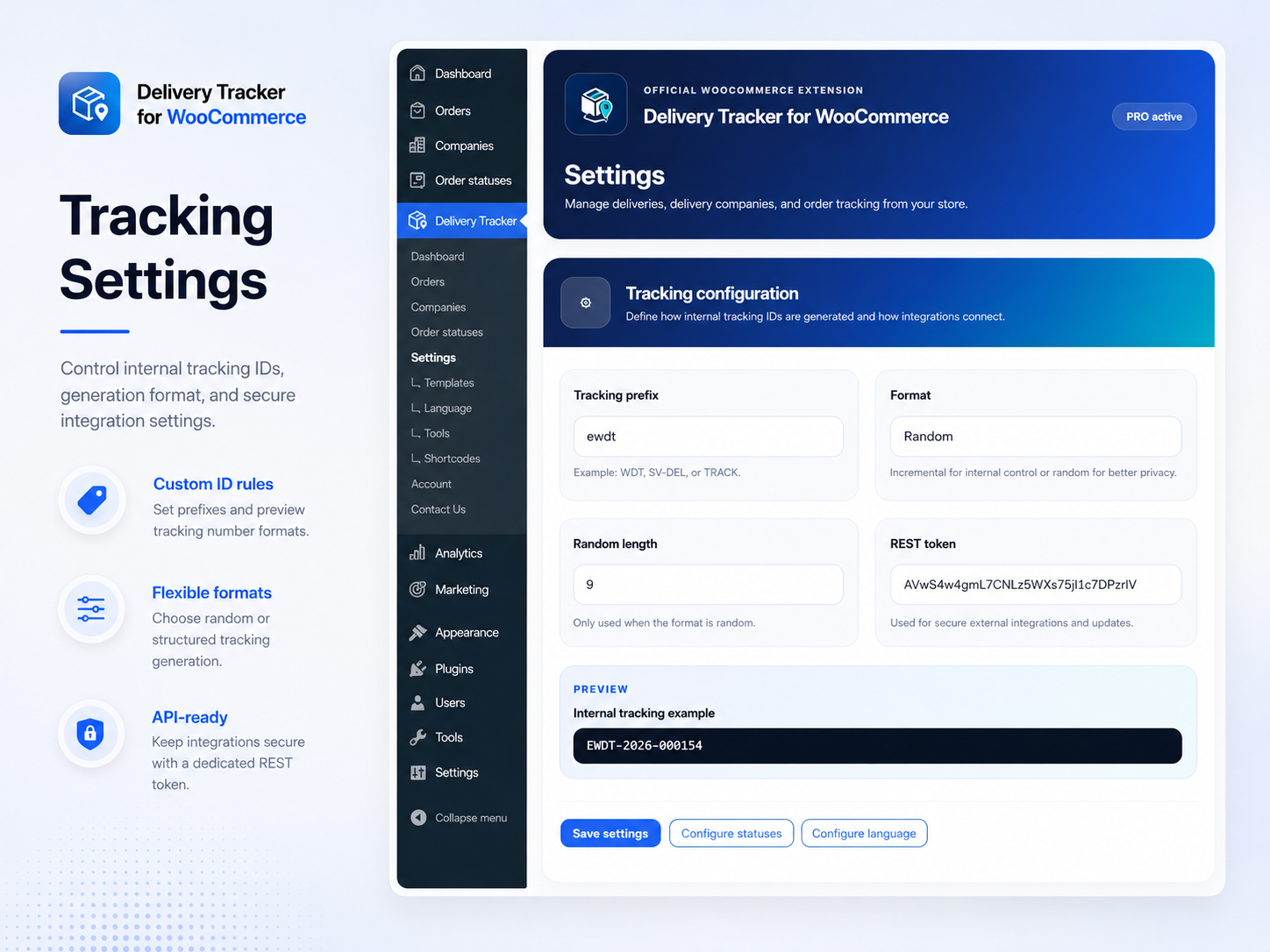
Tracking settings
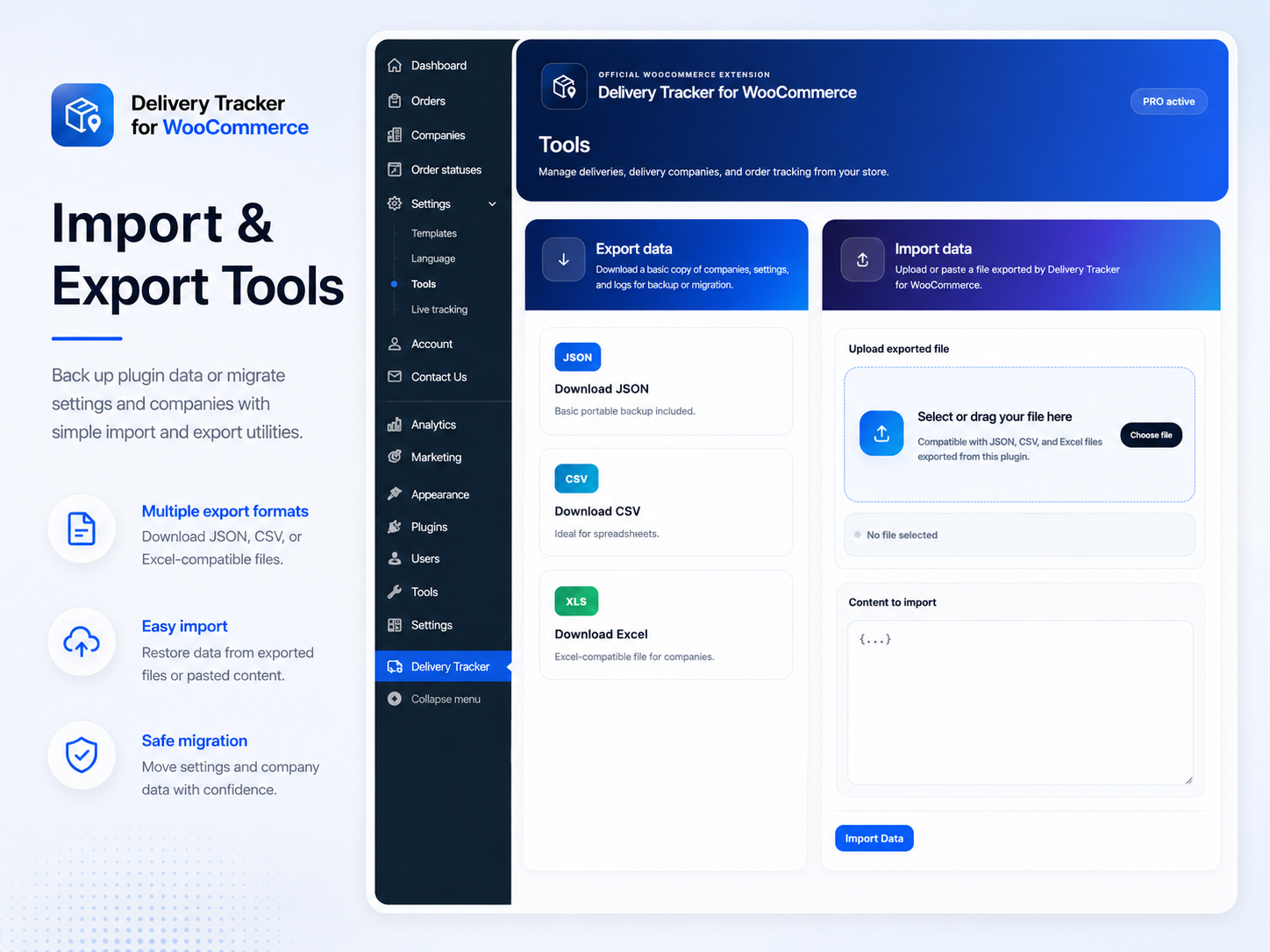
Import/export tools
Freemius checkout
Simple, secure hosted checkout.
This website now uses only the official Freemius hosted payment link. No public keys, secret keys, overlay scripts, or sandbox credentials are required in the static site.
How it works
- ✓The pricing selector updates the visible annual or lifetime price.
- ✓The buy button opens the Freemius hosted checkout page.
- ✓No Freemius secret key is included anywhere in the package.
- ✓No backend sandbox endpoint is required for this version.
Questions before buying
Delivery Tracker for WooCommerce FAQ.
These questions focus on the plugin, its WooCommerce workflow, tracking pages, pricing options and Freemius checkout behavior.